Automation tenders in South Africa: find and win in 2026

Live automation tenders in South Africa are published daily on the National Treasury eTenders portal (etenders.gov.za) and aggregated with search and alerting tools on Protenders. The single action that unlocks access to both is registering on the Central Supplier Database (CSD) and activating your eSubmission profile. Without a valid CSD Supplier number and 36-digit Unique Registration Reference Number, you cannot submit a compliant bid on any public-sector automation contract.
Before you search for a single tender, confirm these three things are in place:
- CSD registration is complete — Supplier number, Unique Registration Reference Number, OTP activation, and commodity codes filled in precisely.
- eSubmission is enabled — your CSD profile is linked to the eTenders portal so you can start responses, upload documents, and track submission status.
- Core compliance documents are ready — SBD forms, tax clearance or verification pin, BBBEE certificate, and company registration documents.
The Public Procurement Act 28 of 2024 makes technology-based procurement a statutory expectation, so digital readiness is no longer optional for any supplier chasing automation contract opportunities. *
Table of Contents
- Where do you find automation tenders in South Africa?
- How do you search for automation and industrial control tenders?
- How to register on the CSD and submit through eTenders
- Using automation tools to speed up your tender responses
- How to set alerts so you never miss an automation deadline
- What timelines and evaluation criteria should you expect?
- Key takeaways
- The procurement shift that most automation contractors are underestimating
- Protenders makes finding automation tenders faster and less costly
- Useful sources and official references
- FAQ
Where do you find automation tenders in South Africa?
The eTenders portal is the authoritative, mandatory publication point for public-sector procurement across national, provincial, and many municipal buyers. Every organ of state is required to advertise on it. That makes it the non-negotiable starting point for any automation procurement search.

What eTenders does not do well is discovery. The search interface is functional but basic. Filtering by keyword, sector, and contract value takes manual effort, and there are no saved-search alerts or compliance tools built in.
That is where Protenders adds real value. It aggregates live tenders from national, provincial, and municipal buyers into a single searchable feed, lets you filter by keyword, region, or category without signing up, and adds compliance scorecards, document templates, and a bid workspace on top. For automation contractors who need to monitor dozens of opportunities simultaneously, the difference in time spent is significant.
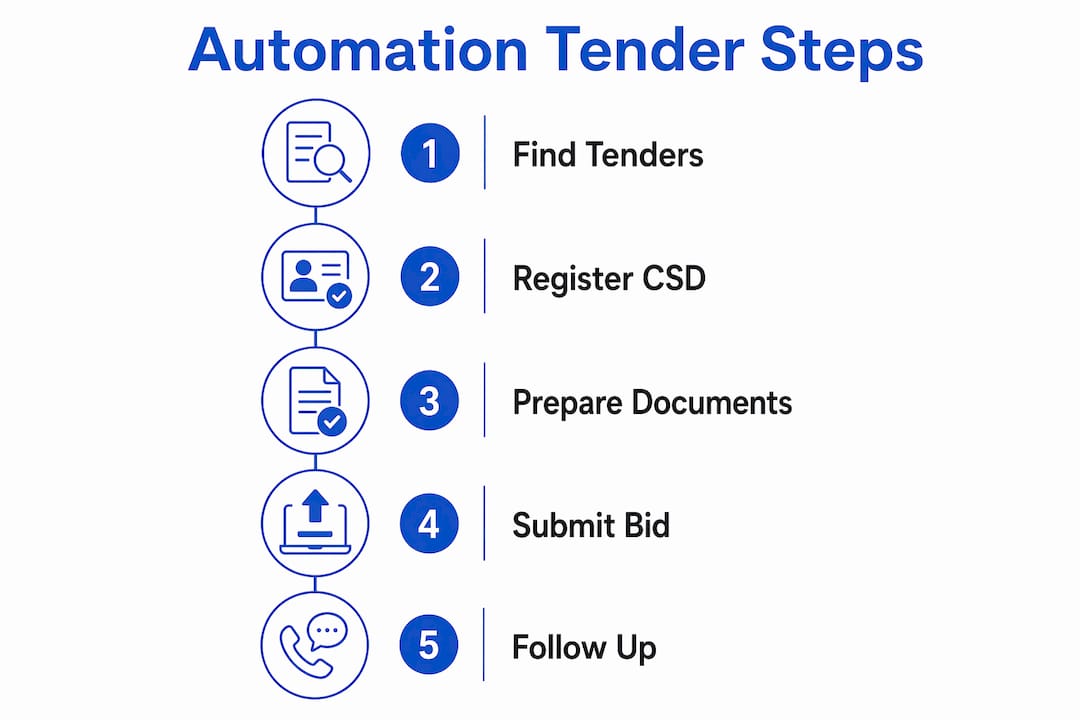 Pro Tip: Use eTenders for official documentation downloads and eSubmission. Use Protenders for discovery, alerts, and compliance preparation. The two are complementary, not interchangeable.
Provincial and municipal buyers sometimes publish on their own websites before the central portal is updated. Check the relevant provincial treasury or municipality site if you are targeting a specific region, but always confirm the official closing date and eSubmission link on eTenders before submitting.
*How do you search for automation and industrial control tenders?
The eTenders home page lets you filter currently advertised tenders by category, keyword, and eSubmission flag. The Technology category covers hardware, software, telecoms, networks, cloud services, and software licensing — automation tenders often sit here, but not always.
Step-by-step search approach
- Go to etenders.gov.za and click Browse Opportunities.
- Select the Technology category as a starting filter.
- Run keyword searches one at a time: automation, PLC, SCADA, BMS, plant automation, industrial control, SCADA integration, building management system.
- Repeat the same keyword set under Engineering and Construction categories — many automation scopes are embedded in infrastructure projects.
- Filter by region to match your operational footprint.
- Filter by contract value to exclude opportunities outside your capacity.
- Flag every eSubmission-enabled tender — these are the ones you can submit on digitally.
Useful keyword combinations to save:
- PLC SCADA + your province
- automation + engineering services
- building management system + government
- industrial automation + maintenance
- control systems + upgrade
Sector codes and commodity categories on the CSD determine which RFQ notifications reach you automatically. If your commodity entries are too broad or misclassified, buyers searching for PLC/SCADA suppliers will not find you in their automated matching. Precision here is not administrative detail — it is how you get found. *
How to register on the CSD and submit through eTenders
CSD registration: the two-stage process
The CSD registration process follows two distinct stages, and both must be fully complete before you can bid.
Stage 1 — Basic registration:- Go to secure.csd.gov.za and register your basic information.
- Activate your account using the link emailed to you.
- Click Request OTP and enter the one-time pin sent to your registered mobile number.
- Log in and click Supplier Details, then Add Supplier.
- Complete the identification tab, then all remaining tabs: industry classification, contacts, address, tax, directors or members, associations, commodities, notifications, and B-BBEE.
- Click the Overview tab to confirm no outstanding information remains.
- Click Submit. Registration is complete once the system assigns your Supplier number and 36-digit Unique Registration Reference Number.
eSubmission workflow on eTenders
The eSubmission user manual covers the full process with screenshots. The key steps:
- Log into eTenders using your CSD-linked credentials.
- Find the tender and click Start Response.
- Upload documents into each designated slot. Only one file can be saved per document slot — merge multi-page documents into a single PDF before uploading.
- Tick every item on the submission checklist. The portal will not allow final submission until the checklist is fully completed.
- Click Submit and save your eSubmission receipt. Track status in your portal dashboard.
For a full step-by-step eSubmission walkthrough, Protenders has a dedicated guide. The tender documents checklist covers the full set of forms and proof documents typically required.
Common documents on automation tenders:
- SBD 1, SBD 3.3, SBD 4, SBD 6.1, SBD 8, SBD 9 (as specified per tender)
- Tax clearance verification pin (from SARS eFiling)
- BBBEE certificate or sworn affidavit
- Company registration documents (CIPC)
- Technical certificates and professional registrations (ECSA, SAIEE where required)
- Equipment lists and proof of technical capacity
- Previous project references with contactable details
*
Using automation tools to speed up your tender responses
Preparing bids for automation projects manually, from scratch each time, is where contractors lose hours they cannot recover. The smarter approach is to build repeatable workflows that handle the predictable parts automatically, so your team focuses effort on the technical narrative that actually differentiates you.
What to automate:- Compliance document assembly (pre-cleared PDFs in a single bid master file)
- Standard technical annexes for PLC/SCADA and BMS scopes
- Costing templates tied to standard bills of materials
- Obligation checklists that flag every mandatory SBD form per tender type
- Compliance scorecards that check your documents against tender requirements before submission
- Technical methodology and approach narrative
- Site-specific integration plans
- Pricing strategy and margin decisions
- Legal and compliance sign-off
For complex automation scopes involving PLC, SCADA, or BMS, package a short functional test plan and commissioning schedule as a standard annex. Evaluators on technical automation tenders value clear commissioning milestones linked to pricing — it signals that your team has done this before and knows what delivery looks like.

Protenders' compliance scorecards, document templates, and bid workspace are built around exactly this workflow. The scorecard checks your compliance position against a tender's requirements before you submit, which catches gaps that would otherwise result in disqualification.
If you need external support preparing complex automation bids, Hyphenate Consulting offers bid-preparation and compliance services for technical procurement.
*How to set alerts so you never miss an automation deadline
Missing a closing date on a tender you were qualified to win is the most avoidable loss in procurement. The fix is a layered alerting system, not a weekly manual check.
Alert channels to configure:- eTenders email alerts — set up keyword and category notifications in your portal profile.
- Protenders saved searches and alerts — configure keyword combinations (PLC, SCADA, BMS, automation) with regional filters; new matches trigger instant email alerts.
- Calendar integration — every tender you decide to pursue gets a closing date entry with a 5-day and 2-day reminder.
- RSS feeds — some provincial portals publish RSS; subscribe where available.
What timelines and evaluation criteria should you expect?
Typical procurement timeline
| Stage | Typical duration | What happens |
|---|---|---|
| Advertisement | Several weeks | Tender published; clarification questions accepted |
| Clarification period | Interim period after advertisement | Buyers issue addenda; attend compulsory briefings |
| Submission | Closing date | eSubmission portal closes at stated time |
| Compliance check | Short period after submission | Buyer verifies SBDs, tax status, CSD registration |
| Technical evaluation | Few weeks following compliance check | Functionality scored; shortlist determined |
| Presentations / negotiations | Following technical evaluation | Shortlisted bidders present or clarify |
| Award and contract signature | After negotiations | Letter of award issued; contract signed |
- Compliance first — non-compliant SBDs, expired tax clearance, or missing BBBEE documentation result in immediate disqualification before technical scoring begins.
- Technical functionality — does your solution meet the specified performance requirements? Integration plan, testing methodology, and commissioning schedule carry significant weight.
- Past performance — references for comparable PLC/SCADA/BMS projects with verifiable contacts.
- BBBEE and SMME requirements — the Public Procurement Act 28 of 2024 reinforces preferential procurement and subcontracting conditions for small enterprise participation.
- Price — evaluated after functionality threshold is met; typically scored on the 90/10 or 80/20 preference point system.
Key takeaways
Winning automation tenders in South Africa requires CSD registration, precise commodity coding, a pre-assembled compliance file, and a layered alerting system that catches opportunities before deadlines close.
| Point | Details |
|---|---|
| CSD registration is the entry barrier | Complete both stages, activate via OTP, and enter precise commodity codes to receive automated RFQ notifications. |
| eTenders is mandatory; Protenders adds speed | Use eTenders for official submission; use Protenders for discovery, saved searches, and compliance scorecards. |
| One file per document slot | The eSubmission portal accepts only one file per slot — merge documents into a single PDF before uploading or your submission will be incomplete. |
| Compliance is scored before technical merit | Expired tax clearance or missing SBDs disqualify a bid before evaluators read a single technical page. |
| Protenders for end-to-end support | Protenders aggregates live tenders, runs compliance scorecards, and provides templates and a bid workspace to cut preparation time. |
The procurement shift that most automation contractors are underestimating
The Public Procurement Act 28 of 2024 is not just a regulatory update. It is a structural shift toward technology-driven, transparent procurement — and it raises the floor for what "ready to bid" actually means. eSubmission is becoming the default, not the exception. Commodity coding drives automated matching. Digital compliance evidence replaces paper. Contractors who treat these as administrative hurdles rather than competitive advantages are already behind.
What I see consistently is that automation contractors invest heavily in their technical capability — PLC programming, SCADA architecture, BMS integration — and then lose bids on compliance gaps that had nothing to do with their engineering. An expired BBBEE certificate, a mismatched company name between the CSD and the SBD, a submission checklist with one box unticked. These are not technical failures. They are process failures, and they are entirely preventable.
Early engagement with procuring officials matters more than most bidders realise. Attending compulsory briefings, submitting written clarification questions, and documenting the buyer's responses gives you a legitimate way to shape the technical specification before the evaluation begins. That is not gaming the system — it is understanding how procurement actually works.
The contractors winning automation contracts in 2026 are not necessarily the most technically sophisticated. They are the ones who show up compliant, on time, with a clear commissioning plan and a subcontracting arrangement that satisfies SMME participation requirements. Get the process right, and your technical capability does the rest.
*Protenders makes finding automation tenders faster and less costly
Every day spent manually checking portals for bids for automation projects is a day your competitors might be submitting. Protenders aggregates every live government tender — national, provincial, and municipal — into one searchable feed, so you spend minutes finding relevant opportunities instead of hours.
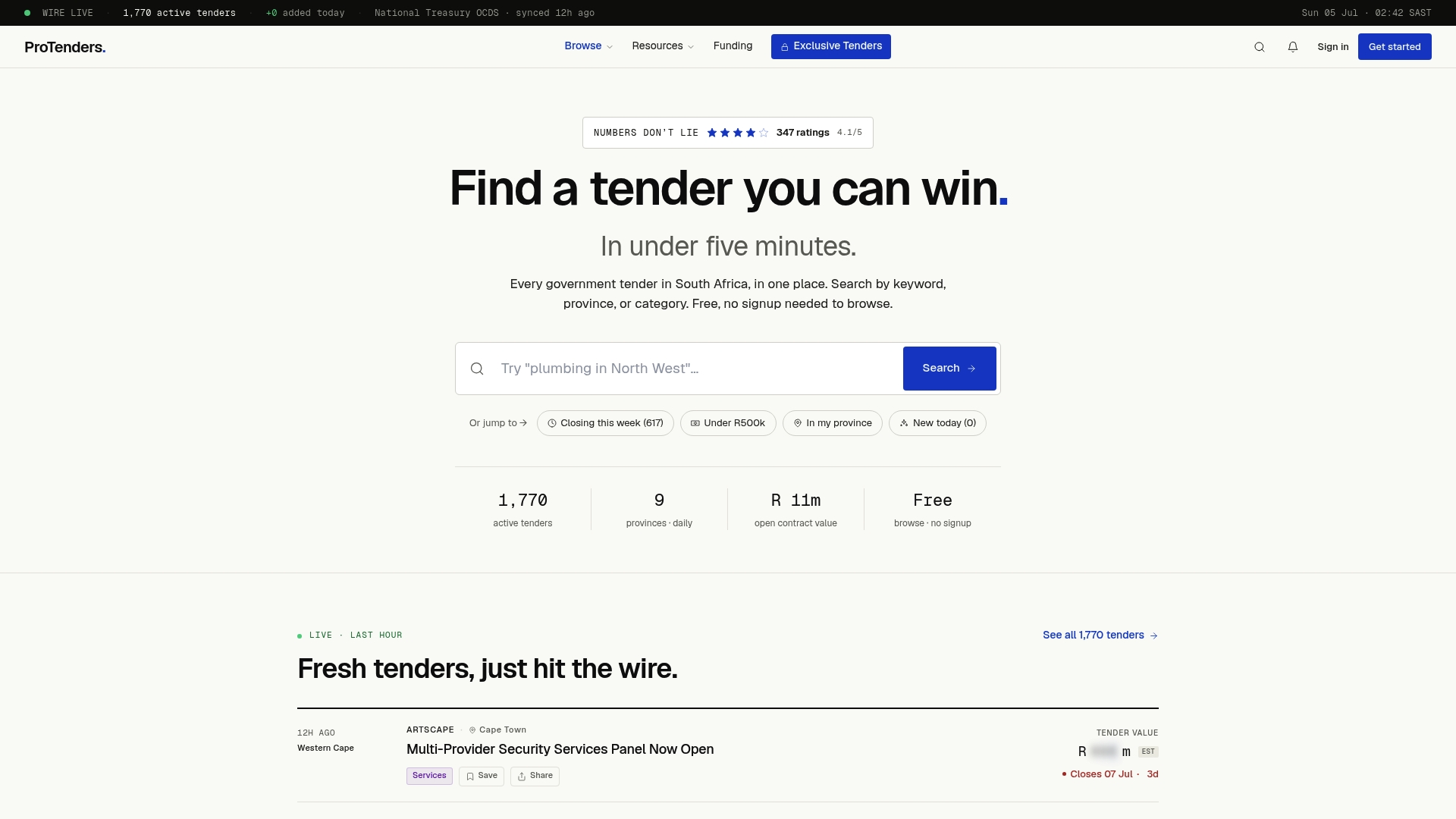
Set up saved searches for PLC, SCADA, BMS, and automation keywords with regional filters, and Protenders sends alerts the moment a matching tender is published. The compliance scorecard checks your documents against each tender's requirements before you submit, catching disqualifying gaps early. Document templates and a bid workspace mean your team is not rebuilding standard annexes from scratch on every submission. And if you need financing to execute an awarded contract, funding partnerships are available through the platform.
For automation contractors in South Africa, this is the practical difference between chasing tenders reactively and running a structured, repeatable bidding operation. Start finding automation tenders on Protenders today — no sign-up required to browse live opportunities.
*Useful sources and official references
Bookmark these before your next submission:
- National Treasury eTenders portal — the official publication point for all public-sector tenders; browse currently advertised opportunities and access eSubmission.
- eSubmission user manual for suppliers — download and keep locally; covers the full upload, checklist, and submission workflow with screenshots.
- Central Supplier Database (CSD) — registration portal and process guide; your Supplier number and Unique Registration Reference Number are generated here.
- Public Procurement Act 28 of 2024 — the governing legislation for all public procurement; relevant for understanding preferential procurement, subcontracting conditions, and technology requirements.
- National Treasury Tender Information page — transversal contracts, designated sectors, and departmental tender listings.
- South African Government tenders page — redirects to eTenders; confirms the official portal for tender information.
Keep your Supplier number, Unique Registration Reference Number, and a copy of your most recent CSD registration report saved locally. Confirm all closing dates and eSubmission links directly on the official eTenders portal before submitting — details on aggregator sites may lag by hours. *
FAQ
What is the CSD and why do I need it to bid?
The Central Supplier Database is the single government supplier register used by all organs of state in South Africa. Without a valid CSD Supplier number and Unique Registration Reference Number, your bid cannot be verified and will be disqualified.
Which keywords find automation tenders on eTenders?
Search for automation, PLC, SCADA, BMS, plant automation, industrial control, and building management system across the Technology and Engineering categories. Repeat searches across both categories, as automation scopes appear in infrastructure and construction tenders too.
How does eSubmission work on the eTenders portal?
Log in with your CSD-linked credentials, find the tender, click Start Response, upload one PDF per document slot, complete the submission checklist, and click Submit. Save your eSubmission receipt and monitor status in your portal dashboard.
What disqualifies a bid before technical evaluation?
Missing or expired compliance documents — including SBD forms, tax clearance verification, BBBEE certificates, and CSD registration — result in disqualification before evaluators review any technical content.
How does Protenders help with automation tenders?
Protenders aggregates live national, provincial, and municipal tenders into one searchable feed, sends keyword-based alerts for automation opportunities, and provides compliance scorecards, document templates, and a bid workspace to reduce preparation time and submission errors.
Recommended
- IT & Technology Tenders South Africa 2026: Complete Guide for Tech Companies | ProTenders
- How to Apply for a Tender in South Africa: Step-by-Step (2026) | ProTenders
- Gauteng Tenders 2026: Complete Guide to Government Opportunities | ProTenders
- How to Find Government Tenders in South Africa (2025 Complete Guide) | ProTenders