CSD supplier database registration: step-by-step guide for SMMEs
 *
*
TL;DR:>
- CSD registration is mandatory for all suppliers bidding for South African government contracts and is completely free. Maintaining an active, compliant profile involves timely updates of company details, tax status, and bank verification, which are verified through automated checks. Using platforms like Protenders can streamline tender discovery, compliance checks, and bid preparation, increasing winning potential.* CSD registration is mandatory for any supplier wanting to do business with an organ of state in South Africa. National Treasury implemented the Central Supplier Database on 1 April 2016 as the single verified source of supplier information across national, provincial, and municipal government. Register at secure.csd.gov.za at no cost. Once your profile clears verification, the CSD issues a unique MAAA supplier number and a 36-digit Unique Registration Reference Number. Procurement officers use that MAAA to pull a real-time compliance report at award time. Before you touch Stage 2, align your CIPC registration, SARS tax status, and bank account details — mismatches are the single biggest cause of failed verifications.
CSD registration is free. Any third-party service charging a fee for basic registration is selling you something you can do yourself at secure.csd.gov.za.*
Table of Contents
- How do you complete CSD supplier database registration?
- What does the CSD verify, and what happens if you fail?
- How long does registration take, and what does it cost?
- How do you keep your CSD profile compliant after registration?
- Where do you find tenders after you register?
- How do you fix common CSD verification failures?
- Key takeaways
- Why getting CSD registration right is the SMME's most leverageable admin task
- Protenders helps you turn CSD registration into real bids
- Useful sources
- FAQ
How do you complete CSD supplier database registration?
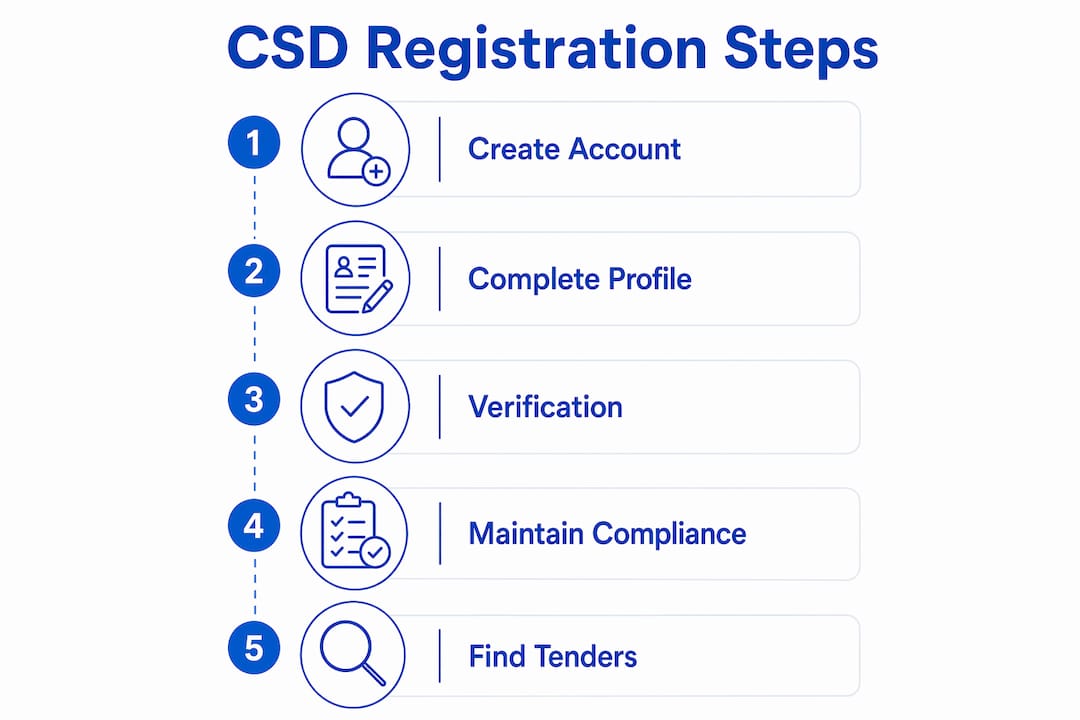
The process runs in two stages. Stage 1 creates your user account; Stage 2 builds the supplier profile that gets verified.
Stage 1: Create your CSD user account
- Go to secure.csd.gov.za and click Register.
- Enter your name, email address, and South African mobile number.
- Activate your account via the link sent to your email.
- Request an OTP and enter it to confirm your mobile number.
Stage 2: Complete your supplier profile
Once logged in, click Supplier Details → Add Supplier and work through each tab in order:
- Identification — enter your CIPC registration number exactly as it appears on your certificate.
- Industry classification — select the correct UNSPSC commodity codes for your goods or services.
- Contacts and address — physical and postal addresses must match CIPC records.
- Tax — enter your SARS tax reference number and TCS PIN. The CSD queries SARS directly for your Tax Compliance Status; uploading a certificate is not sufficient.
- Directors/members — upload certified copies of each director's or member's ID document.
- Banking — upload a bank confirmation letter on bank letterhead, signed, dated within the last three months, with the account name matching your CIPC trading name exactly.
- B-BBEE — attach your B-BBEE certificate or sworn affidavit if applicable.
- Overview tab — review for any outstanding fields flagged in red.
- Click Submit. Leaving the profile in Draft status means it is invisible to procurement officers.
Pro Tip: Before you open the CSD portal, print your CIPC certificate, your SARS TCS status page, and your bank confirmation letter side by side. Check that the company trading name, registration number, and account name are identical across all three documents. A single character difference — even a comma or "Pty" versus "Pty Ltd" — will fail automated verification.
For a downloadable checklist and templates, the ProTenders CSD registration guide covers each field in detail.
 *
*
What does the CSD verify, and what happens if you fail?
The CSD does not take your word for anything. It runs automated queries against four external systems the moment you submit.
| Verification source | What it checks | Common failure flag | Resolution step |
|---|---|---|---|
| CIPC | Company registration status and trading name | Deregistered company or name mismatch | Reinstate at CIPC before registering |
| SARS | Active Tax Compliance Status (TCS) | Outstanding returns or tax debt | Clear arrears; request updated TCS PIN |
| Banking institutions | Account holder name and account number | Account name differs from CIPC trading name | Get a corrected bank confirmation letter |
| Department of Home Affairs | Director/member ID validity | Expired or flagged ID | Update ID at Home Affairs |
To confirm your MAAA is active: log in, go to the Overview tab, and check that your profile status shows Active rather than Draft or Pending Verification. If it shows Draft, you have not clicked Submit. If it shows Pending, a verification check is still running.
*How long does registration take, and what does it cost?
- Cost: Zero. The CSD registration process is entirely free on the official portal.
- CIPC and SARS checks: Usually instant once your profile is submitted.
- Bank verification: Can take 48–72 hours, depending on your bank's response time.
- Mismatched records: Extend timelines indefinitely until corrected at source.
- If verification stalls beyond 72 hours: Contact your bank first to confirm the confirmation letter format, then raise a support ticket via the CSD portal's Help section with your MAAA number, a screenshot of the pending status, and a copy of the bank letter.
- Paid registration services: Only defensible if you have genuinely complex compliance issues — a holding company structure, foreign directors, or a disputed CIPC status. For a straightforward SMME, every fix runs through SARS, CIPC, or your bank directly, not through a third party.
How do you keep your CSD profile compliant after registration?
A verified profile can go non-compliant without any action on your part. SARS TCS status lapses when a return is missed. Bank confirmation letters older than three months are rejected. Director changes not updated on CIPC flow through to the CSD as mismatches.
Update your profile immediately when any of these occur: banking detail changes, director or member additions or removals, company name or registration status changes, B-BBEE level changes, CIDB grading updates (for construction firms), or new tax product registrations.
For ongoing maintenance, a quarterly review works well in practice. Pull your CIPC certificate, request a fresh SARS TCS status, and get a new bank confirmation letter. Check each against your live CSD profile before the letter expires.
Pre-bid mini-checklist (run this before submitting any bid):- MAAA status shows Active on the Overview tab
- SARS TCS flag is green
- Bank verification status is confirmed
- UNSPSC commodity codes match the tender category
- Required SBD forms (SBD 1, SBD 4, SBD 6.1, SBD 8, SBD 9) are current and ready
Where do you find tenders after you register?
Registration gets you eligible. Finding the right opportunities is the next problem.
The National Treasury eTenders portal is the official publication point for national, provincial, and municipal tenders. Always verify any opportunity against the official portal before investing time in a bid.
| Feature | Official portals (eTenders) | Aggregator platforms |
|---|---|---|
| Tender source authority | Primary, authoritative | Aggregated from official sources |
| Search and filtering | Basic keyword search | Keyword, region, category, UNSPSC |
| Automated alerts | Not available | Yes — matched to your profile |
| Compliance scorecards | No | Yes |
| Bid document templates | No | Yes |
| Funding referrals | No | Yes |
To get the most from alerts: map your UNSPSC codes in your CSD profile first, then use the same codes to configure saved searches. Opportunities that match your verified commodity profile land in your inbox rather than requiring daily portal checks.
*How do you fix common CSD verification failures?
Most failures trace back to one of five causes. Here is how to work through each.
- Identify the failure flag — log into your CSD profile and check the Overview tab for red indicators.
- Bank detail mismatch — request a new bank confirmation letter with the account name matching your CIPC trading name character for character. Bank letters must be on official letterhead, signed, and dated within three months.
- SARS TCS failure — log into eFiling, check for outstanding returns or debt, resolve them, and request a new TCS PIN. The CSD will re-query SARS automatically once you re-submit.
- CIPC mismatch or deregistration — contact CIPC directly to reinstate or correct your registration. Do not re-submit to CSD until CIPC records are updated.
- Expired or incorrect director ID — update at Home Affairs, then re-upload a certified copy.
For support, use the Help function on the CSD portal. Attach your MAAA number, a screenshot of the failure status, and the relevant source document (bank letter, SARS TCS printout, or CIPC certificate). Vague tickets without documentation take significantly longer to resolve. Pro Tip: Avoid paying for "CSD fix" services advertised online. Every verification failure requires action at the source institution — SARS, CIPC, or your bank. A third party cannot fix a SARS return on your behalf; only you or your registered tax practitioner can. *
Key takeaways
CSD registration is the non-negotiable first step for any SMME bidding on South African government contracts, and procurement officers verify your MAAA in real time at award.
| Point | Details |
|---|---|
| Registration is free | Complete both stages at secure.csd.gov.za at no cost. |
| Align records first | CIPC, SARS, and bank account details must match exactly before Stage 2. |
| MAAA determines eligibility | Procurement officers pull a live compliance report using your MAAA at award time. |
| Maintain quarterly | Refresh bank letters, SARS TCS status, and CIPC details every three months. |
| Protenders accelerates discovery | After registration, use Protenders to set UNSPSC-matched alerts and run compliance scorecards before bidding. |
Why getting CSD registration right is the SMME's most leverageable admin task
The most common mistake SMMEs make is investing in capability before clearing compliance. A polished company profile, a strong track record, a competitive price — none of it matters if the MAAA shows a red indicator at award time. The CSD is a binary gatekeeper: your profile is either active and compliant, or it is not. There is no partial credit.
What surprises many first-time bidders is that the CSD does not care about your pitch. It cares whether your CIPC registration is current, your tax is clean, and your bank account name matches your trading name. Automated verification makes non-compliance more visible than it ever was under paper-based systems. A supplier who would have slipped through a manual check now fails at the database query.
The practical upside: once your records are aligned and your profile is active, you have cleared the hurdle that eliminates a significant portion of the competition. Platforms like Protenders then let you turn that verified status into a repeatable workflow — matched alerts, compliance checks before submission, and templates that cut bid preparation time.
*Protenders helps you turn CSD registration into real bids
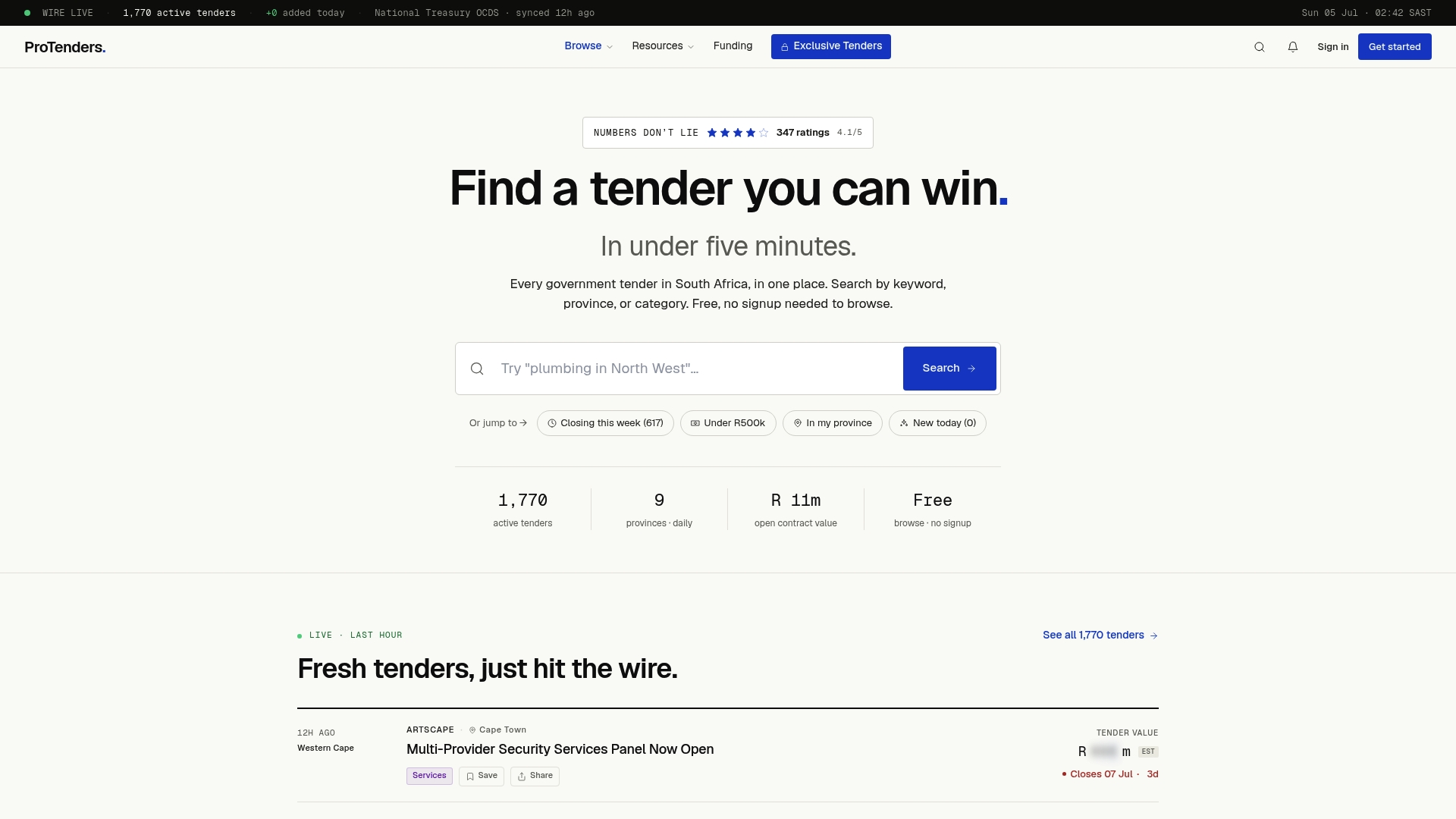
Getting your MAAA number is step one. The harder part is finding the right tenders, checking your compliance before the deadline, and putting together a bid that actually gets read. Protenders aggregates every live South African government tender — national, provincial, and municipal — in one place, searchable by keyword, region, or UNSPSC category. No sign-up needed to browse.
Paid features go further: automated alerts matched to your commodity codes, compliance scorecards that flag profile gaps before you submit, bid document templates, and referrals to tender funding partners for contracts that need upfront capital. For SMMEs who have just completed registration and want to move fast, it removes the daily portal-checking that eats time without producing results.
Browse live government tenders on Protenders now, or explore the step-by-step tendering guide to prepare your first bid. *Useful sources
- secure.csd.gov.za — Official CSD portal for self-registration, profile management, and MAAA verification. Always use this domain; avoid third-party sites that mimic it.
- South African Government FAQ on CSD — Plain-language overview of the registration requirement and process.
- SARS eFiling — Manage your Tax Compliance Status and resolve outstanding returns before registering.
- CIPC — Verify or update your company registration status and trading name.
- National Treasury / eTenders — Official publication point for all government tender advertisements.
- Protenders — Aggregated tender search, compliance scorecards, bid templates, and funding referrals for South African SMMEs. The ProTenders blog includes downloadable checklists and field-by-field registration walkthroughs authored by Dolene April.
FAQ
Is CSD registration mandatory for all suppliers?
Yes. CSD registration has been mandatory for all suppliers doing business with any organ of state since 1 April 2016.
How long does CSD verification take?
CIPC and SARS checks are usually instant; bank verification can take up to 48–72 hours. Mismatched records extend the timeline until corrected at the source institution.
What is the MAAA number used for?
Procurement officers enter your MAAA number into the CSD at award time to pull a real-time compliance report. A non-compliant or Draft profile at that moment results in automatic disqualification.
Can I use a personal bank account for CSD registration?
No. Personal accounts are not acceptable for registered companies. The account must be in the company's name and match the CIPC trading name exactly on the bank confirmation letter.
Where can I find tenders after completing CSD registration?
Start with the National Treasury eTenders portal for official listings. Protenders aggregates the same tenders with added filters, automated alerts matched to your UNSPSC codes, and compliance scorecards to check your profile before submitting a bid.
Recommended
- CSD Registration South Africa 2026: Step-by-Step Guide for Suppliers | ProTenders
- CSD Registration 2026: Complete Central Supplier Database Guide | ProTenders
- How to Register on CIDB (Grades 1–9), Step-by-Step for SMMEs in 2026 | ProTenders
- SMME Tenders South Africa 2026: Government Opportunities for Small Businesses | ProTenders